
Clover GO (3rd Generation)
5.0Editor score
Wireless Bluetooth connection
End to end security
Custom tips and taxes
This guide compares the top credit card readers for phones based on connectivity, security, and ease of use to help you choose the right mobile payment
Modern businesses need flexible payment solutions that work anywhere. Credit card readers for phones allow merchants to accept payments on the go without bulky hardware. These devices connect via Bluetooth or wired ports to process transactions securely using smartphone apps.
We evaluated ten top-rated readers based on connectivity options, security features, and app compatibility. Our analysis covers budget-friendly dongles and standalone terminals that support contactless, chip, and magnetic stripe payments. Each product was reviewed for real-world usability and merchant support.
Each pick highlights specific strengths like battery life, transaction fees, or portability. Prices and availability change frequently so verify details before purchasing. This list helps small businesses and freelancers find reliable tools to accept payments efficiently wherever they operate.
5.0Editor score

4.6Editor score

4.5Editor score
This side-by-side comparison shows key specifications for all ten readers including connectivity type, supported cards, and unique features. Use this table to quickly identify which device matches your specific business needs and technical requirements.




The Square Reader for magstripe USB-C is a top choice for merchants needing quick payment processing. With a 4.6 rating it offers reliable connectivity through modern smartphone ports. It integrates seamlessly with the free Square Point of Sale app to track sales and manage inventory.
We may earn a commission when you buy through this link, at no additional cost to you.
This device allows you to get paid as soon as the next business day which helps cash flow. Setup is straightforward without long-term commitments or hidden contracts. You can accept tips send digital receipts and run your business all in one place using the app.
While it only reads magnetic stripe cards it provides a cost effective entry point for mobile sales. The lack of chip or contactless support is a limitation for modern security standards. However the speed and simplicity make it ideal for low-volume transactions or testing new markets.
Ideal for solo entrepreneurs or pop-up shops wanting to start accepting payments immediately. If you need chip support consider upgrading to Square Reader contactless chip later. For now this reader delivers essential functionality with minimal friction for your mobile payments.
Download the free Square POS app create an account and start taking payments anywhere without monthly fees or long-term commitments.
Get your money as soon as the next business day improving cash flow for small businesses and freelancers on tight schedules.
We may earn a commission when you buy through this link, at no additional cost to you.
This second generation reader accepts contactless payments chip cards Apple Pay and Google Pay from anywhere. Its improved connectivity ensures stable pairing with your mobile device during transactions. You pay one low rate for every tap or dip without hidden monthly fees.
We may earn a commission when you buy through this link, at no additional cost to you.
Enhanced security protects data with 24/7 fraud prevention and dispute management at no extra cost. Even without internet access it keeps taking payments for up to 24 hours. This reliability suits outdoor vendors or areas with spotty cellular coverage.
The price is higher than basic magstripe readers but supports modern secure payment methods. Merchants upgrading from older models will appreciate the extended battery life and stable pairing. It balances cost with comprehensive security for growing businesses.
Best for businesses needing EMV and contactless compliance without a full POS system. If you already use Square the integration is seamless. The offline capability adds peace of mind for remote sales events where connectivity is unpredictable.
Continue accepting payments for up to 24 hours without internet ensuring you never miss a sale due to connectivity issues.
Safely accept payments with 24/7 fraud prevention and data security included at no extra cost for your peace of mind.
We may earn a commission when you buy through this link, at no additional cost to you.
This reader supports CAC PIV military IDs and chip credit cards via integrated USB-A and USB-C dual-head cable. It is certified FCC CE and Microsoft WHQL for broad compatibility across Windows Mac Linux and Android. No extra adapters are required for different device ports.
We may earn a commission when you buy through this link, at no additional cost to you.
Contact interface follows ISO7816 protocol while NFC module supports ISO14443 standards. This ensures high security for government authentication and banking transactions. The reinforced strain-relief cable and LED light buzzer prompts enhance daily use reliability in office or field settings.
It is designed for identity verification and tax declarations rather than general retail. Health insurance cards are not compatible. While powerful for security tasks it may be overkill for simple credit card acceptance in a coffee shop or market stall.
Ideal for government contractors or IT admins needing multi OS smart card access. The 24-month warranty and lifetime technical support add value. Ensure your software supports PC/SC 2.0 and EMV standards before purchasing.
No driver needed for immediate use on Windows Mac Linux and Android ensuring broad deployment across diverse IT environments.
Supports CAC PIV military ID and EMV standards meeting high-security needs for federal and defense industry users.
We may earn a commission when you buy through this link, at no additional cost to you.
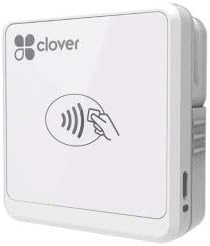
The Clover GO 3rd Gen pairs with your mobile device via Bluetooth for complete smartphone compatibility. It ensures end to end security from card acceptance to transaction completion protecting you and customer data. You can set custom tip percentages and multiple tax rates easily.
We may earn a commission when you buy through this link, at no additional cost to you.
Customers receive paperless receipts via email or text to their devices. You manage employee permissions easily ensuring only staff members see sensitive business data. Dock sold separately requires processing through SwyftPAY for US based businesses only which simplifies onboarding.
A perfect 5.0 rating suggests high satisfaction among users despite the processing requirement. The flexibility of wireless operation reduces cable clutter at the point of sale. It is a strong contender for small shops wanting branded POS features without upfront hardware costs.
Best for businesses willing to commit to SwyftPAY processing for seamless integration. If you need a dock or additional hardware check availability before buying. This reader balances functionality and affordability for mobile retail environments.
Email or text receipts directly to customers reducing paper waste and speeding up checkout lines for better service.
Create and manage multiple employee permissions easily so only certain staff see sensitive business data or settings.
We may earn a commission when you buy through this link, at no additional cost to you.
With Square Terminal you can ring up sales accept payments and print receipts all with one device. It works at the counter or cordlessly with a built-in battery designed to last all day. Accept major credit debit cards at one low rate with no hidden fees.
We may earn a commission when you buy through this link, at no additional cost to you.
Process chip cards in just two seconds for quick secure transactions. Get your money as soon as the next business day to keep cash flowing. This is a full POS solution rather than a phone dongle requiring more setup and investment.
The higher price reflects the all-in-one nature including screen printer and battery. Merchants needing a physical terminal will appreciate the reliability and speed. It is not portable like a phone reader but offers more power for fixed locations.
Best for brick and mortar stores needing a dedicated register. If you need mobility use Square Reader instead. This terminal simplifies operations by combining payment processing and receipt printing into one robust unit.
Ring up sales accept payments and print receipts all with one device without needing a separate phone or tablet.
Process chip cards in just two seconds ensuring quick secure transactions that keep your checkout line moving.
We may earn a commission when you buy through this link, at no additional cost to you.
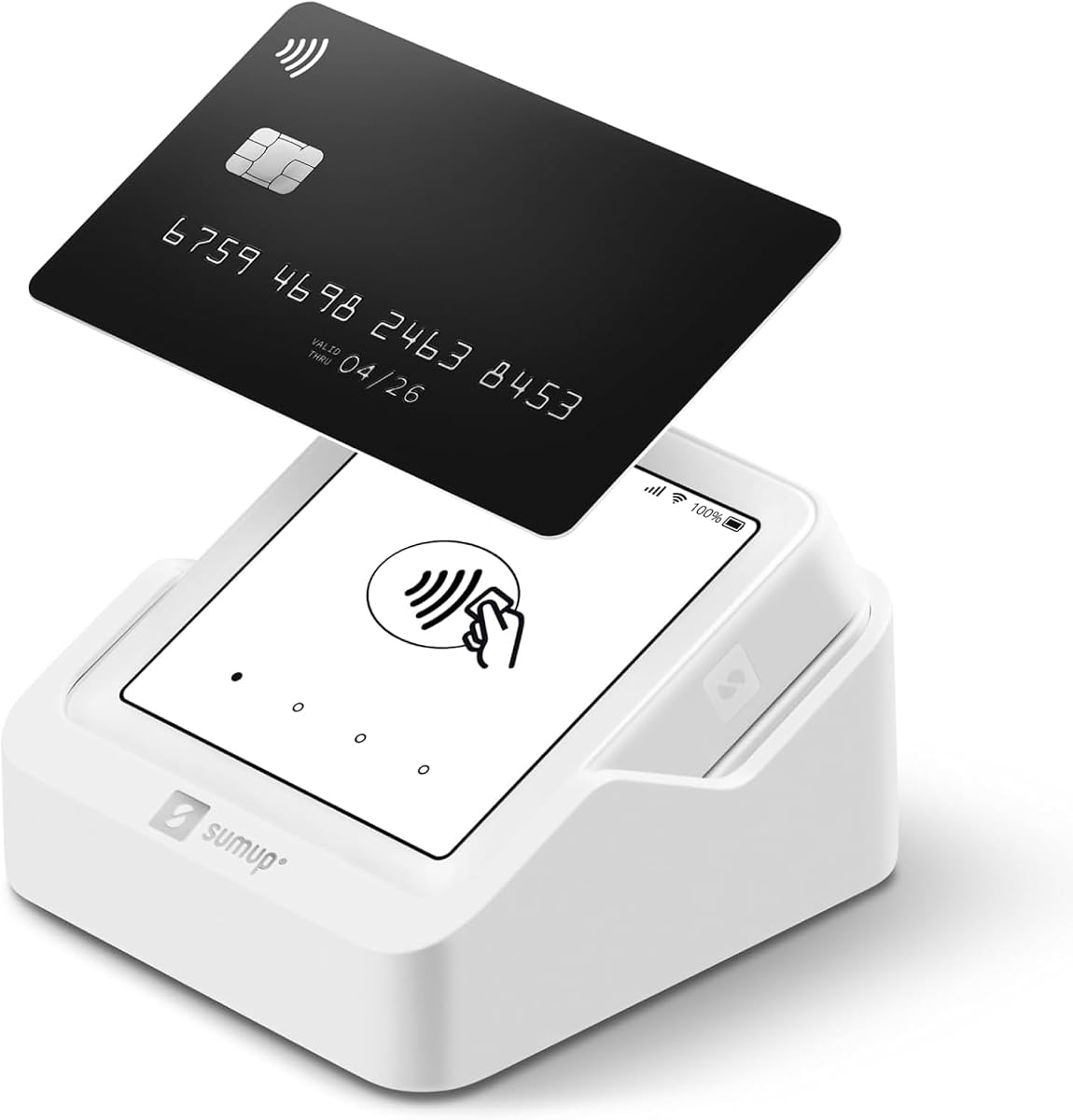
SumUp Plus accepts all major credit debit cards with one low rate and no hidden fees. Use the free SumUp App on your smartphone to start accepting transactions anywhere anytime. It is a mobile card reader designed for flexibility without long-term contracts.
We may earn a commission when you buy through this link, at no additional cost to you.
Simply pay 2.6% plus ten cents per in-person transaction making it easy to estimate costs. The Bluetooth and NFC support enable contactless payments for faster checkouts. It suits small vendors needing a simple reliable tool without complex POS features.
With a 3.8 rating it offers basic functionality but may lack some advanced features competitors provide. Setup is straightforward but ensure compatibility with your OS. It remains a viable option for those prioritizing low costs and ease of use.
Best for independent sellers wanting a simple payment method with low overhead. If you need detailed analytics consider higher tier options. For quick mobile sales this reader delivers essential functionality with minimal setup.
Pay 2.6% plus ten cents per in-person transaction with no hidden fees or monthly costs.
Use the free SumUp App on your smartphone or tablet to start accepting transactions immediately without buying software.
We may earn a commission when you buy through this link, at no additional cost to you.
SumUp Solo features an intuitive interface to easily accept payments and manage sales. It includes a free SIM card and mobile data so you can process payments anywhere without relying on your phone. Strong reliable Wi-Fi connection ensures stability during transactions.
We may earn a commission when you buy through this link, at no additional cost to you.
Great battery capability comes with an additional charging station for continuous use. US-based support is available via phone email and chat when you need it. Fast hassle-free setup occurs upon registration on the SumUp website or mobile app.
This device is truly portable keeping you in control of your business wherever you go. The lower rating suggests some users faced connectivity issues. However the built-in data connection adds independence for remote locations.
Best for businesses needing standalone data access without tethering to a phone. If you want a screen without a smartphone app this suits you. Verify connectivity in your area before purchasing to avoid signal issues.
Free SIM card and mobile data included so you can process payments anywhere without relying on your phone.
Great battery capability with an additional charging station ensures your device stays powered during busy days.
We may earn a commission when you buy through this link, at no additional cost to you.
The newest Clover GO model pairs with your mobile device through a Bluetooth connection for full compatibility. End to end security protects data from card acceptance through transaction process. Set custom tip amounts and multiple tax rates for the things you sell.
We may earn a commission when you buy through this link, at no additional cost to you.
Email or text receipts to customers for paperless transactions. Only certain employees need to see what's under the hood so manage permissions easily. Requires processing through Powering POS for US based businesses only ensuring localized support.
As a newer model it offers updated features but may have growing pains reflected in the rating. The flexibility of wireless operation is valuable for mobile businesses. If you need to integrate with Powering POS this fits your workflow.
Best for businesses switching to Powering POS looking for a mobile solution. Call support for questions if needed. The updated model aims to improve reliability over previous versions with enhanced features.
Set custom percentage amounts for tips and create multiple tax rates for the things you sell to simplify checkout.
Customers want it their way so with Clover GO you can email or text receipts to them instantly.
We may earn a commission when you buy through this link, at no additional cost to you.
Quantities of this version are limited and may be end of life. Orders may be fulfilled with the most current version of Clover Go. It works with iOS and Android devices for contactless payments and chip support. This ensures you receive a functional unit even if the model changes.
We may earn a commission when you buy through this link, at no additional cost to you.
The EMV and chip readiness means it accepts secure modern card transactions. No merchant account required simplifies setup for new businesses. While it is a legacy model the core payment functions remain relevant for small vendors.
Availability is unpredictable so check current listings before committing. If you need a contactless solution without a full merchant account this is useful. Expect possible variations in packaging or included accessories due to stock transitions.
Best for those needing a quick contactless setup without long-term commitments. Verify the current version included before ordering. It serves as a fallback option for mobile payments when other readers are unavailable.
EMV/Chip ready ensures secure transactions for modern credit cards without additional hardware.
Works with iOS and Android devices giving you flexibility on which mobile platform you use.
We may earn a commission when you buy through this link, at no additional cost to you.
This reader protects data from the moment a card is accepted through the transaction process. Set custom tip amounts and multiple tax rates for the things you sell easily. This device will work with any Clover Go account ensuring compatibility with existing systems.
We may earn a commission when you buy through this link, at no additional cost to you.
Payments on the go are made simple with Bluetooth connectivity. While it does not require a merchant account it fits well within the Clover ecosystem. The 3rd generation update brings enhanced features over older models but still focuses on core payment functions.
User feedback suggests mixed experiences with connectivity or app stability. However the security features and customizable rates remain strong points. It is suitable for small businesses needing flexible tax settings without complex setups.
Best for Clover users needing a backup mobile device. Verify account compatibility before purchase. This reader offers a straightforward way to accept payments securely without additional hardware.
This device will work with any Clover Go account making it easy to integrate with your existing setup.
Create multiple tax rates for the things you sell to handle complex pricing without manual calculations.
We may earn a commission when you buy through this link, at no additional cost to you.
Selecting the right reader depends on your business type connectivity needs and budget. This guide breaks down key factors to help you find a device that supports your workflow.
Readers connect via Bluetooth wired ports like USB-C or Lightning. Bluetooth offers more mobility but requires pairing and battery power. Wired connections are stable and draw power from the phone but limit movement.
Choose Bluetooth for mobility and wired for stability. Ensure your phone port matches the reader or an adapter is available.
Some readers accept only magnetic stripe cards while others support chip and contactless payments. Contactless is increasingly important as customers prefer tap to pay. Check if the reader supports Apple Pay and Google Pay.
Prioritize EMV and contactless support to meet security standards and customer expectations.
Fee structures vary from flat rates to monthly minimums. Some require long-term contracts while others offer pay-as-you-go plans. Look for hidden costs like monthly app fees or transaction limits.
Compare total costs based on your expected volume. Avoid long contracts if you test new markets.
Standalone terminals often have built-in batteries while dongles draw power from your phone. Battery life affects how long you can operate away from an outlet. Compact size is crucial for travel and crowded spaces.
Check battery ratings if using standalone devices. For dongles ensure your phone battery lasts through your shift.
Most readers require a specific POS app to function. Evaluate the app's ability to track sales manage inventory and send receipts. Some apps offer loyalty programs or employee management.
Ensure the app fits your business workflow. Test the app interface before committing to a hardware choice.
Payment security standards like PCI DSS are essential to protect customer data. Look for end-to-end encryption and fraud prevention tools. Offline capabilities should still maintain security protocols.
Prioritize devices with robust encryption and data protection to build trust with customers.
Readers used in field conditions need rugged construction. Check for reinforced cables and water resistance if applicable. Warranties and support coverage vary by brand.
Invest in durable materials if you face rough environments. Review warranty terms before purchasing.
Responsive support is crucial when transactions fail or hardware malfunctions. Check availability hours and channels like chat email or phone. Local support can resolve issues faster.
Choose brands with accessible support channels to minimize downtime during sales.
To start pair the device with your smartphone via Bluetooth or plug it into the appropriate port. Install the accompanying POS app create an account and follow onboarding instructions. Test a small transaction to ensure connectivity before customer use.
Keep firmware updated through the app to maintain security and performance. Clean the reader regularly with a dry cloth to remove dust or moisture. Store it in a protective case when not in use to prevent damage.
Charge standalone batteries fully before long shifts. If using dongles ensure your phone battery is sufficient. Monitor transaction logs and reconcile sales daily. Contact support immediately if errors occur during payments.
Some readers offer offline modes allowing payments for up to 24 hours. However most require at least initial connectivity to authorize transactions. Ensure you have cellular data or Wi-Fi for standard operations.
Bluetooth readers typically pair with multiple devices but may require re-pairing. Dongles are tied to the specific phone port type. Check compatibility if you switch devices often.
Most modern readers support both iOS and Android. However some dongles are port-specific such as USB-C or Lightning. Verify your phone model before purchasing.
Some providers like Clover or Square offer merchant processing without separate accounts. Others may require you to use their payment gateway. Check terms before sign up.
Top readers use encryption and PCI compliance to protect data. End-to-end encryption ensures card info is secure during transactions. Look for fraud detection features included in the app.
Many accept international cards if they support chip and contactless. Check supported currencies and regions in the provider policy. Some may have restrictions on foreign transactions.
Our top picks include the Square Reader for magstripe USB-C for speed Clover GO for budget Bluetooth and Square Terminal for full POS needs. Each offers distinct benefits depending on your sales volume and hardware preferences.
Prioritize connectivity payment types and fee structures to match your daily operations. Ensure the app integrates with your existing tools for streamlined management. Security and support remain critical for long-term reliability.
Prices and availability change frequently so verify current details before purchasing. Check promotions or bundles that may save costs. The right reader simplifies payments and helps your business grow.