
Amazon Basics Condenser Microphone
4.4Editor score
Cardioid pickup pattern
One tap mute function
Plug and play setup
Finding the right audio equipment is crucial for any creator looking to start a podcast. A cheap podcast microphone can deliver professional quality without breaking the bank. We evaluated ten top models to help you choose the best option for your needs.
Our comparison focuses on sound quality, build durability, and essential features like mute buttons and monitoring. We analyzed user feedback and technical specifications to ensure each pick offers genuine value. This list covers various styles from compact desktop mics to flexible setups.
Each review highlights key strengths and potential trade-offs so you know what to expect. Prices and availability change frequently, so verify current details before purchasing. Use this guide to invest in a reliable mic that grows with your content creation journey.
4.4Editor score

4.4Editor score

4.6Editor score
As an Amazon Associate we earn from qualifying purchases.
This side-by-side comparison shows key features of all ten microphones to help you decide quickly based on your specific recording needs.




The ZealSound Podcast Microphone stands out as a top pick for creators seeking professional quality on a budget. It delivers clear audio with a frequency response that captures natural vocals effectively for podcasting needs.
We may earn a commission when you buy through this link, at no additional cost to you.
Its intelligent noise reduction mode is a standout feature that filters out keyboard clicks and background hum without complex software. This makes it ideal for home studios where environmental noise is a common issue during recording sessions.
The physical controls like volume and echo knobs allow for quick adjustments during live streams. While it lacks XLR connectivity, the USB implementation is robust and supports multiple devices including mobile phones via adapters.
This microphone is perfect for podcasters, streamers, and online educators who need reliable audio. It balances cost and performance exceptionally well, making it a strong recommendation for anyone starting a new channel.
The dedicated noise mode reduces ambient sounds like fans and chatter, ensuring your voice remains the focus of the recording without needing external editing tools.
Hear your voice in real time through the headphone jack with zero delay, allowing you to catch issues like distortion before they become permanent in your final file.
We may earn a commission when you buy through this link, at no additional cost to you.
The Amazon Basics Condenser Microphone offers exceptional value for those just starting out with podcasting. It provides a reliable foundation for voice recording without requiring significant financial investment upfront.
We may earn a commission when you buy through this link, at no additional cost to you.
Its 14mm diaphragm ensures low noise and clear pickup, while the cardioid pattern helps isolate your voice from room noise. The built-in mute function adds convenience for quick silencing during interruptions.
The microphone includes a shock absorber and boot to reduce handling noise, which is a nice touch at this price point. However, it lacks advanced features like gain knobs or RGB lighting found on other models.
Choose this model if you want a simple, durable tool for basic recording tasks. It is highly recommended for beginners or secondary setups where cost efficiency is the primary concern.
No drivers are needed to get started; simply connect the USB cable and begin recording immediately on Windows or Mac systems without any configuration steps.
The shock absorber and rubber boot effectively dampen vibrations from desk taps, ensuring your audio remains clean even when you type heavily while speaking.
We may earn a commission when you buy through this link, at no additional cost to you.
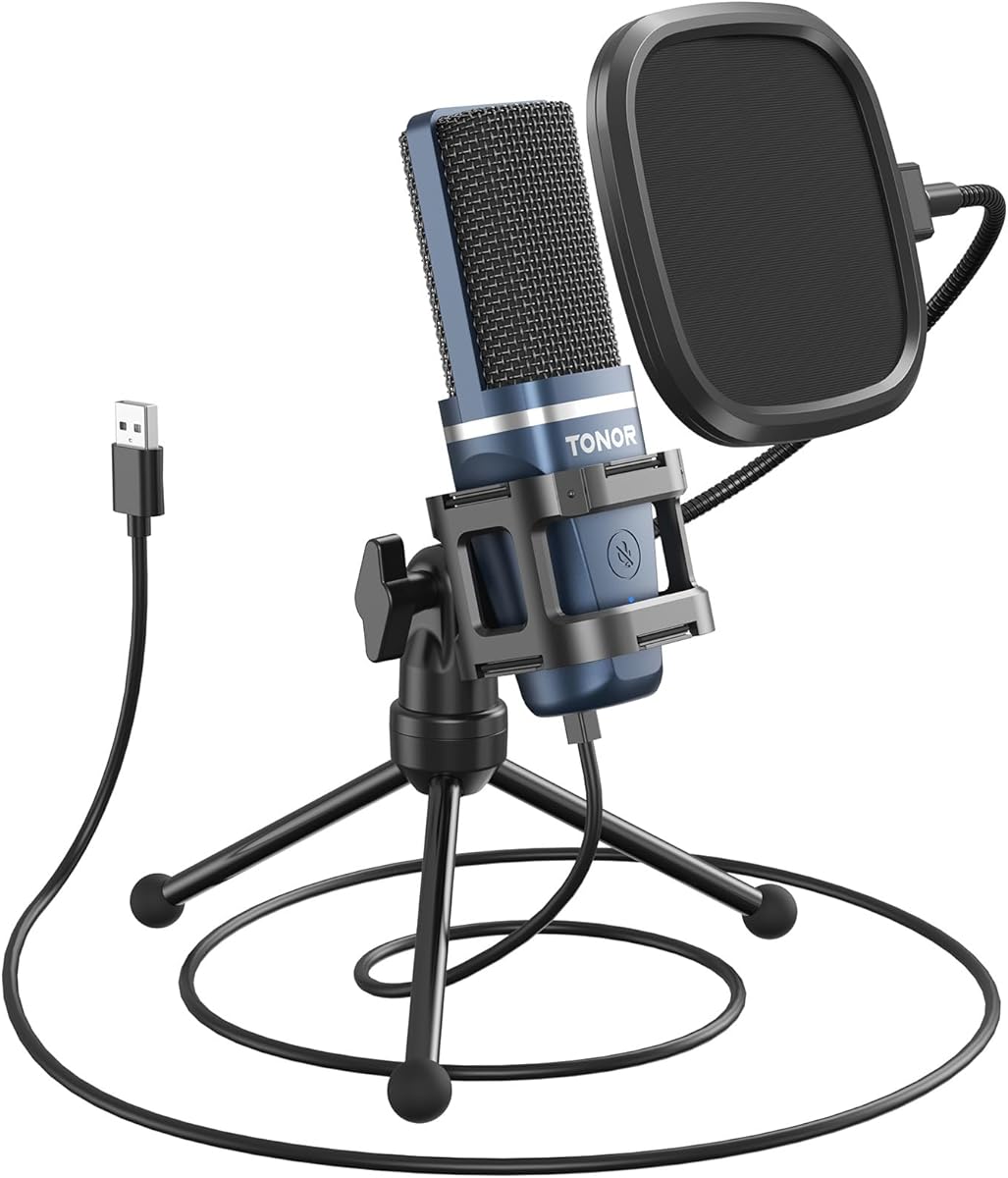
The TONOR Podcast Microphone comes with a full kit including a shock mount and pop filter, which is rare at this price. This makes it an attractive choice for users who want everything needed to start recording right away.
We may earn a commission when you buy through this link, at no additional cost to you.
Its cardioid pickup pattern ensures clear voice capture while minimizing background noise. The foldable tripod saves space on your desk, making it ideal for smaller setups or travel scenarios.
While the build is mostly plastic, it functions well for standard podcasting needs. The volume control and mute button are easy to reach, allowing for smooth operation during live calls or streams.
This microphone is best suited for creators who want a complete solution in one box. It balances functionality and convenience, providing a solid entry point into professional audio recording.
Included accessories like the pop filter and shock mount reduce plosives and vibrations immediately, saving you extra cost on additional gear to achieve better sound.
The foldable design allows you to adjust the angle without taking up much desk space, keeping your workspace tidy while maintaining optimal microphone positioning.
We may earn a commission when you buy through this link, at no additional cost to you.
The FIFINE K669B is known for its durable metal construction that withstands daily use without compromising sound quality. It offers a straightforward way to get clear audio for meetings and podcasts.
We may earn a commission when you buy through this link, at no additional cost to you.
Its volume knob allows you to adjust levels easily, and the cardioid pattern focuses on your voice to reduce background interference. The design is simple yet effective for various recording applications.
While it lacks a headphone jack for monitoring, the output quality is consistent across platforms. It works well with common software like Zoom and Discord without needing complex configuration.
Choose this model if you prioritize durability and reliability over advanced features. It is a great option for office environments or home studios where robust hardware is essential.
The sturdy metal construction ensures longevity and stability, making this microphone resistant to accidental bumps or drops during active recording sessions.
Adjusting volume directly on the device provides instant feedback and control, removing the need to constantly access software settings during your workflow.
We may earn a commission when you buy through this link, at no additional cost to you.
The FIFINE AmpliGame AM8 is unique because it supports both USB and XLR connections, giving you flexibility to upgrade your setup later. This hybrid capability is rare for budget friendly microphones.
We may earn a commission when you buy through this link, at no additional cost to you.
As a dynamic microphone, it handles loud voices well and rejects off-axis noise effectively. The RGB lighting adds a nice visual touch to your gaming rig without affecting audio performance.
You can control gain directly on the mic, which is helpful for live streaming. The XLR option means you can connect to professional mixers as your production quality grows over time.
This model is ideal for gamers and streamers who want a future proof device. It bridges the gap between budget and pro gear with versatile connectivity and solid sound output.
Connect via USB for simplicity now, and switch to XLR later with an interface to access professional audio routing without replacing the microphone hardware entirely.
The dynamic capsule captures voice precisely while minimizing background noise, ensuring clear communication even in loud environments during gaming sessions.
We may earn a commission when you buy through this link, at no additional cost to you.
The Logitech Blue Yeti is a legendary choice in the recording world known for its broadcast quality sound. It offers versatile patterns that allow you to record solo or with guests easily.
We may earn a commission when you buy through this link, at no additional cost to you.
Its three capsule array delivers powerful audio with clear highs and lows. The onboard controls for pattern selection and gain give you full command over your recording process instantly.
While more expensive than others on this list, it remains affordable compared to studio gear. The Blue VO!CE software adds effects that enhance your voice for professional production value.
Choose this if you want a reliable workhorse that grows with you. It is perfect for serious podcasters who need flexibility and high fidelity sound for their content.
Switch between cardioid, omni, bidirectional, and stereo to adapt to different recording situations, from solo talks to group interviews or music sessions.
Headphone volume and gain controls on the mic itself let you monitor and adjust levels physically, ensuring precise control without touching your computer settings.
We may earn a commission when you buy through this link, at no additional cost to you.
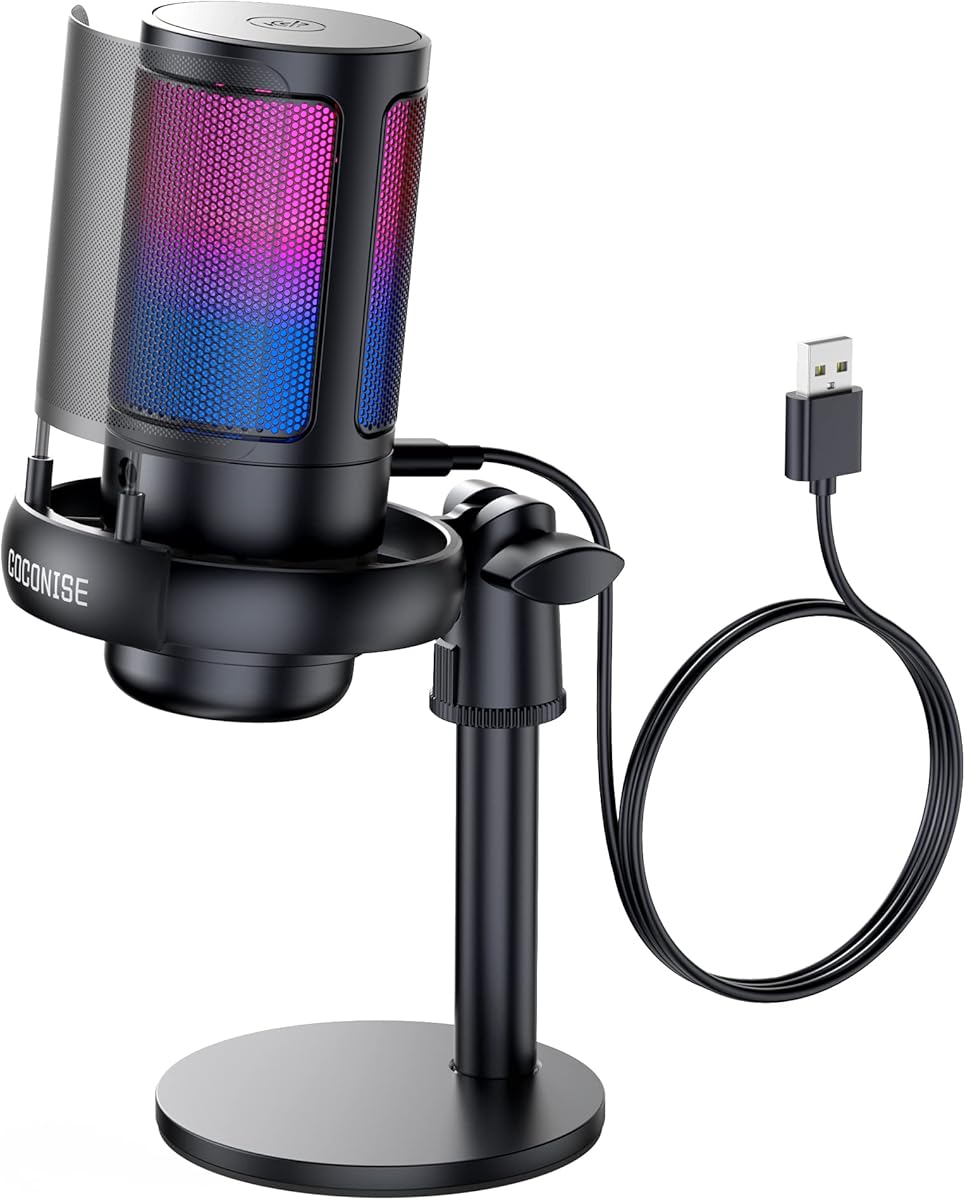
This Gaming Microphone for PC stands out with its visual appeal and solid build quality designed for active creators. The RGB lighting adds a dynamic element to your streaming setup.
We may earn a commission when you buy through this link, at no additional cost to you.
It features a large 25mm diaphragm for wide audio capture and a metal anti splash screen that filters plosives effectively. The weighted carbon steel base ensures the mic stays put during use.
The RGB lights turn off when muted to signal status clearly, preventing accidental broadcasts. With a headphone jack included, you can monitor your voice in real time for adjustments.
This model is great for streamers who value aesthetics alongside performance. It combines a unique design with practical features to support immersive gaming and podcast environments.
Gradient RGB lighting syncs with your setup to create an immersive look, while automatic mute indicators keep you aware of your audio status instantly.
The weighted steel base prevents tipping during intense typing or movement, ensuring stable positioning for consistent audio quality throughout your recordings.
We may earn a commission when you buy through this link, at no additional cost to you.
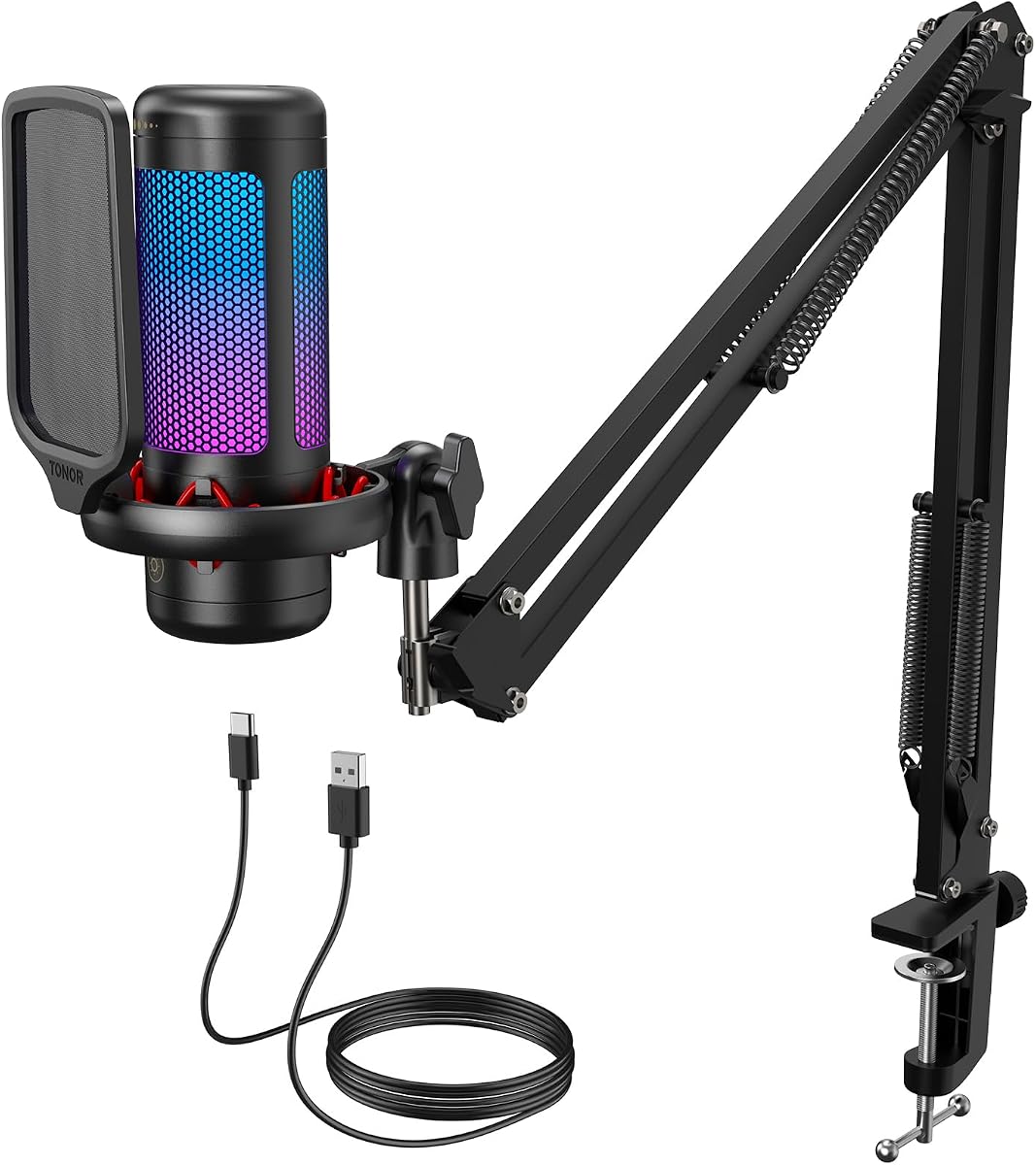
The TONOR Gaming Microphone Set offers a complete solution with a boom arm and RGB lighting, making it ideal for desktop setups. It provides high fidelity reproduction for team communication and streaming.
We may earn a commission when you buy through this link, at no additional cost to you.
With four RGB modes and adjustable brightness, you can customize the look of your mic to match your room. The tap to mute feature ensures you stay private during unexpected interruptions quickly.
The metal boom arm allows flexible positioning for optimal sound pickup. It is sturdy enough to hold the mic securely while keeping your desk space clear from cable clutter.
This set is best for creators who want a full professional look without buying parts separately. It balances lighting effects with practical audio controls for a polished streaming experience.
Included boom arm and clamp make installation easy, allowing you to position the mic exactly where you need it without buying extra mounting hardware.
Adjust RGB brightness and modes to suit your environment, creating a visually cohesive setup that enhances your stream aesthetic without distracting viewers.
We may earn a commission when you buy through this link, at no additional cost to you.
The MAONO A04 delivers studio grade audio with a 192kHz sampling rate and 24-bit depth. This level of detail is excellent for professional podcasting and voice over work.
We may earn a commission when you buy through this link, at no additional cost to you.
It comes with a scissor arm stand, shock mount, and pop filter to minimize noise and optimize positioning. The kit approach saves time and money on essential accessories for quality sound.
The anti-interference ring on the cable ensures a stable connection during long recording sessions. While setup takes a bit of time, the resulting audio quality is impressive for the price.
This microphone is perfect for users who prioritize sound fidelity. It offers a professional kit experience that supports detailed audio production needs.
With 192kHz/24Bit capabilities, this mic captures subtle vocal nuances and wide frequency ranges, resulting in rich and detailed recordings for broadcast quality output.
The scissor arm and shock mount isolate the mic from desk vibrations, ensuring your voice remains clear and free from mechanical noise during recording.
We may earn a commission when you buy through this link, at no additional cost to you.
The FIFINE AmpliGame A6V has earned an iF Design Award for its quality and aesthetics. It brings detailed audio with a 192kHz sampling rate to your stream.
We may earn a commission when you buy through this link, at no additional cost to you.
RGB lighting cycles through colors automatically to enhance your gaming rig visually. The tap to mute feature prevents accidental noise, and the RGB turns off to confirm the muted state.
Accessories like the shock mount and pop filter help maintain clean audio from keyboard taps and plosives. It is a well rounded package for gamers and podcasters alike.
This model is great for those who want style and substance. It provides reliable performance with a design that looks great on camera during your recordings.
Recognized by the iF Design Award, this microphone combines ergonomic usability with a sleek look that complements modern computer setups perfectly.
Includes shock mount and pop filter to handle common recording issues like vibrations and plosives, ensuring professional sound with minimal additional effort.
We may earn a commission when you buy through this link, at no additional cost to you.
Selecting the right microphone requires balancing features like sound quality, durability, and connectivity with your specific needs.
Sound quality depends heavily on the capsule. Condenser mics offer high sensitivity and clarity ideal for studios while dynamic mics handle loud environments better. Look for a frequency response that captures your voice range accurately.
Choose a capsule that fits your recording space for clear and natural vocals.
USB mics are plug and play and work with most computers making them easy to use. XLR mics need an interface but offer better control and are more durable. Some microphones offer both options for flexibility.
USB is best for beginners while XLR suits those planning to upgrade their gear.
Polar patterns dictate how the mic picks up sound from different directions. Cardioid patterns are great for solo podcasting as they focus on the front. Omni and bidirectional patterns are useful for group recordings.
Select a pattern that matches your recording setup to reduce background noise.
Build quality affects the lifespan of the microphone. Metal bodies resist wear and tear better than plastic ones. A sturdy base or stand ensures the mic does not fall during use.
Invest in a solid build to ensure long term durability.
Physical controls like volume knobs and mute buttons make adjustments easier during recording. Features like headphone jacks allow real time monitoring to avoid latency issues.
Look for intuitive controls that speed up your workflow.
Ensure the microphone works with your operating system and streaming software. Most USB mics are universal but checking compatibility with consoles or mobile devices is wise.
Verify system requirements to avoid connectivity issues.
Many budget mics come with pop filters and shock mounts which save you extra costs. A boom arm can help with positioning and cable management.
Check what is included in the box before purchasing.
Set a budget that allows you to get the best sound quality possible. You do not need the most expensive mic to get great audio if you choose wisely.
Focus on value rather than just the lowest price.
Place the microphone close to your mouth for optimal audio capture but maintain a distance to avoid plosive sounds. Use the included pop filter to reduce harsh consonants.
Connect the USB cable securely to a stable port and adjust gain settings to avoid distortion. Use headphones for monitoring if the mic supports it.
Clean the grille gently with a soft brush to remove dust and store the mic in a dry place to protect the electronics from humidity.
Most budget podcast microphones use USB and do not need an interface. They connect directly to your computer and work immediately. Only XLR models require an interface.
Cardioid picks up sound mainly from the front which is great for solo recording. Omnidirectional picks up sound from all sides which is better for group sessions.
Use a microphone with noise cancellation features and record in a quiet room. Position the mic close to your voice to capture less ambient noise.
Yes most podcast microphones are designed for streaming and recording. They work well with OBS and Twitch to provide clear audio for your audience.
A pop filter helps reduce harsh plosives like P and B sounds. It improves voice clarity and protects the microphone from saliva over time.
Use a soft brush to remove dust from the grille. Do not use liquids directly on the mic as moisture can damage the internal components.
We reviewed ten top options for cheap podcast microphones to help you find the right fit. The ZealSound and Amazon Basics models stand out for value and performance.
Prioritize sound quality and durability when making your choice. Ensure the mic meets your needs for recording or streaming before you buy.
Always check current prices and availability as they change frequently. Invest in a reliable microphone that helps you grow your content.