
External Optical Drive Enclosure with USB 3.0 Type C
4.5Editor score
Tool-free detachable design for quick swaps
Supports 12.7mm Serial ATA optical drives
Integrated woven cable for stable connections
External optical drive enclosures allow you to repurpose internal SATA drives into portable external units. They are essential for accessing legacy media without installing new hardware internally. A good enclosure ensures stable power, fast data transfer, and durable construction for long-term use.
We evaluated ten top-rated models based on compatibility, speed, build quality, and user feedback. Our analysis covers both slim laptop drives and standard desktop 5.25 inch units. Each product was reviewed for ease of installation and overall reliability in real-world scenarios.
Each pick highlights specific strengths and ideal use cases for different user needs. Prices fluctuate frequently due to market demand and seller promotions. Always verify current pricing and availability before making your final purchase decision online.
4.5Editor score
4.6Editor score

4.6Editor score
As an Amazon Associate we earn from qualifying purchases.
Below is a side-by-side comparison of all ten models featured in this guide. We highlight key specifications and unique features to help you make an informed decision quickly.




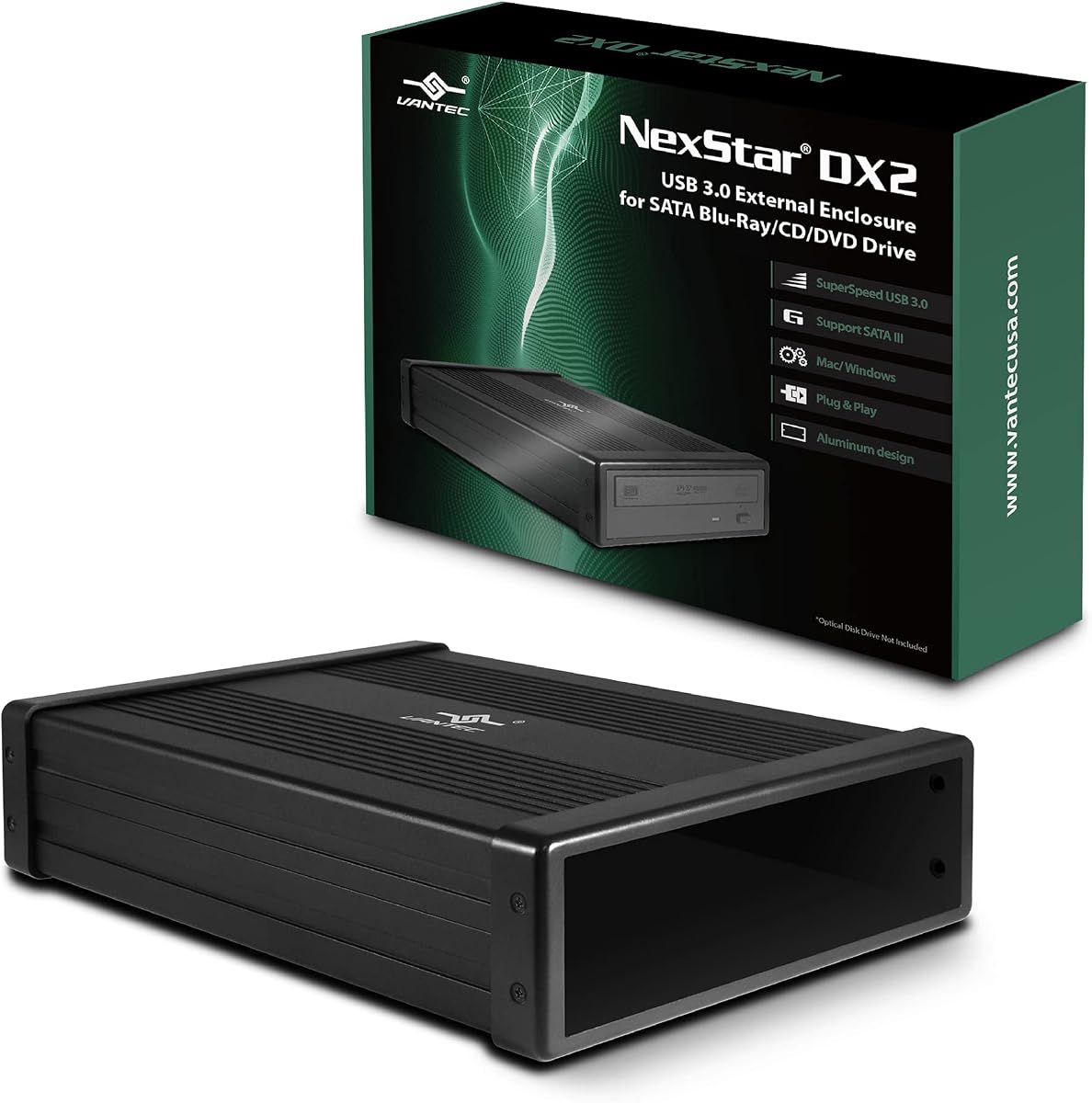
The NexStar DX2 stands out as the most versatile enclosure for desktop optical drives. With a rating of 4.6, it offers reliable performance for users needing to access legacy media files. Its standout quality is the ability to fit any drive depth without modification.
We may earn a commission when you buy through this link, at no additional cost to you.
This enclosure is designed specifically for 5.25 inch Blu-Ray, CD, and DVD drives. The internal SATA cable is flexible, allowing connection regardless of the drive's interface position. The aluminum alloy casing ensures heat dissipation and reduces operational noise during use.
Users may find the included power adapter adds bulk to the setup. Additionally, while it fits many drives, you should measure your specific model before purchase. These trade-offs are acceptable given the robust build and universal compatibility it provides.
This is the ideal choice for IT professionals or enthusiasts managing a library of optical media. If you need a reliable way to connect any SATA optical drive externally, this model delivers consistent performance and durability.
The design allows you to mount optical drives of varying depths up to 185mm making it highly adaptable for different models.
Made from aluminum alloy this casing reduces vibration and noise which protects the drive during read write cycles.
We may earn a commission when you buy through this link, at no additional cost to you.
This enclosure offers a strong alternative for desktop optical drives with a rating of 4.4. It supports SATA protocol interfaces and provides a convenient way to externalize internal hardware. The aluminum alloy construction ensures durability and thermal management.
We may earn a commission when you buy through this link, at no additional cost to you.
The design supports hot swapping which enhances efficiency during data transfer processes. Users can swap drives without rebooting their systems. The casing reduces vibration significantly which helps maintain stability during operation.
Some users might find the installation process tricky if screw holes do not align perfectly. The manual suggests watching a video for proper installation guidance. These issues are minor compared to the performance benefits offered.
Ideal for users who need to frequently swap optical drives or access multiple disc types. If you are looking for a robust desktop enclosure with hot swapping features this model is a solid investment for long-term use.
Equipped with USB 3.0 ports this enclosure transfers large files in seconds making it ideal for media backups.
The aluminum alloy material helps dissipate heat effectively preventing overheating during extended usage sessions.
We may earn a commission when you buy through this link, at no additional cost to you.
Zunate offers a specialized solution for repurposing internal laptop optical drives. It accepts 9mm Serial ATA drives commonly found in older laptops. The design is compact and portable making it easy to carry in a laptop bag.
We may earn a commission when you buy through this link, at no additional cost to you.
The integrated cable design allows the USB 3.0 and Type C cable to fold inside the enclosure. This feature reduces clutter and prevents the cable from getting lost. It supports multiple operating systems including Windows and macOS.
This model does not support thicker drives or external power adapters which limits its compatibility. Users must ensure their drive is exactly 9mm before purchasing. These limitations are acceptable for those specifically targeting laptop drive reuse.
Best suited for students or professionals who have removed a drive from a laptop and need an external solution. If you value portability and simplicity this enclosure provides a straightforward way to access discs on the go.
The integrated cable folds neatly inside the enclosure protecting it from damage and making storage convenient.
Works seamlessly with Windows and OS X ensuring broad usability across different types of computers.
We may earn a commission when you buy through this link, at no additional cost to you.
JOTEC provides a reliable aluminum enclosure for slim optical drives with strong build quality. The dual cable support offers flexibility for different computer ports. It is designed for stable operation with power-saving features.
We may earn a commission when you buy through this link, at no additional cost to you.
The enclosure comes with non-slip feet to ensure stability during use. Aluminum material helps dissipate heat effectively which prolongs the life of the drive. It supports both 120mm and 80mm discs for versatile media access.
Users need to confirm their drive is 9.5mm thick before purchase. While it is versatile for slim drives it will not work with standard desktop units. This specificity ensures a perfect fit for compatible drives.
Ideal for users seeking a high-quality enclosure for laptop or slim desktop drives. If you need compatibility across Windows and macOS this JOTEC model delivers performance and durability at a competitive price point.
Included USB 3.0 and Type C cables ensure compatibility with modern and older ports.
Aluminum alloy construction provides excellent heat dissipation preventing overheating during long sessions.
We may earn a commission when you buy through this link, at no additional cost to you.
Tbest offers a flexible solution supporting a wide range of drive thicknesses. Its compatibility with SATA I and II standards ensures broad usability. The chipset solution improves energy efficiency through automatic sleep modes.
We may earn a commission when you buy through this link, at no additional cost to you.
The enclosure supports various operating systems making it accessible for different users. USB 3.0 connectivity provides fast transfer speeds for large data files. It is designed to work with both slim and standard thickness drives.
Some users may experience variability in build quality or performance consistency. It is recommended to check reviews carefully before purchase. These issues are offset by the wide compatibility and lower price point.
Best for users who need to accommodate different drive sizes without buying multiple enclosures. If you want an affordable option that supports multiple SATA standards this model offers practical value.
Supports both 12.7mm and 9.5mm drives offering flexibility for various optical drive types.
Automatic sleep mode helps save energy when the drive is not in use.
We may earn a commission when you buy through this link, at no additional cost to you.
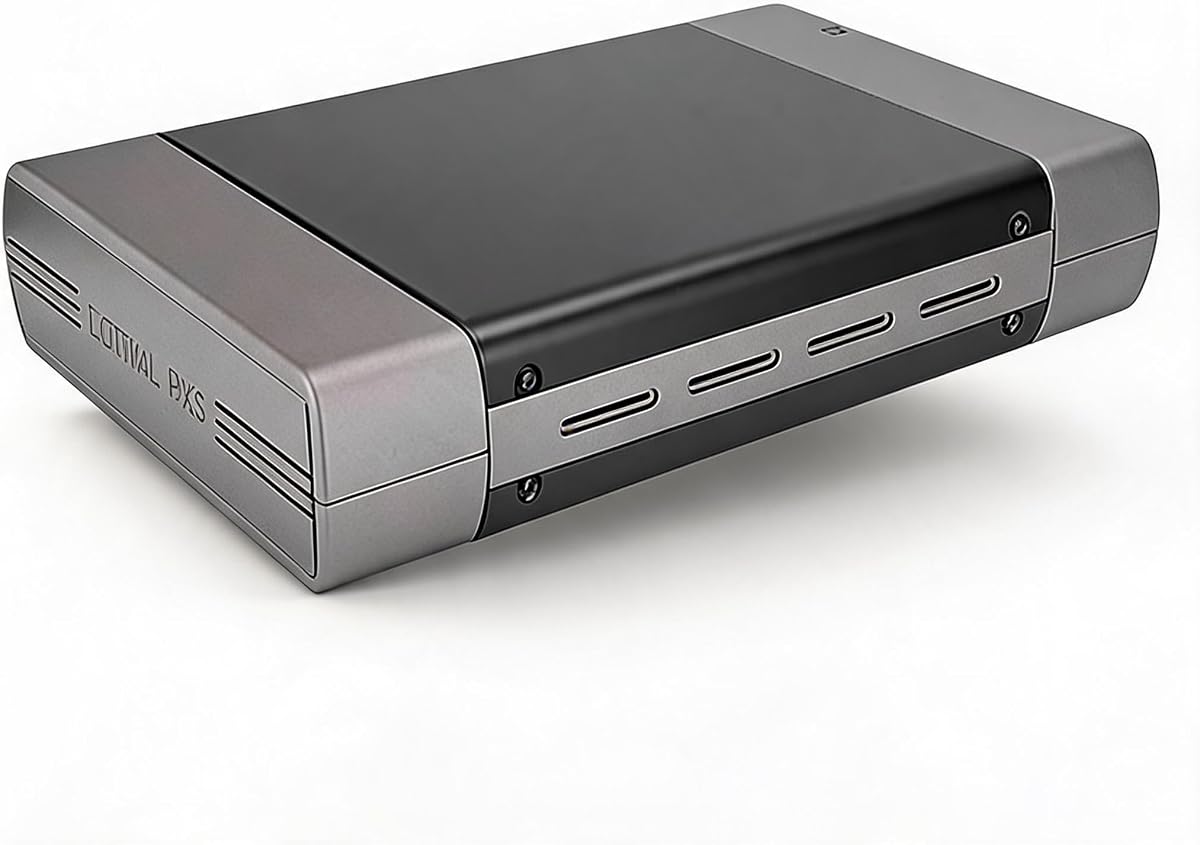
Vantec delivers a premium adapter that supports SATA I II and III standards. The UASP support enhances speed on USB 3.0 ports significantly. It is designed for both optical and storage drives.
We may earn a commission when you buy through this link, at no additional cost to you.
The compact design makes it easy to store when not in use. Anti-slip mats help protect drives and reduce noise during operation. Users do not need to install drivers for multiple operating systems.
Some advanced commands might be limited by the bridge controller. Additionally, external power may be needed depending on drive requirements. These limitations are minor compared to the performance and build quality offered.
Ideal for users needing high-speed connectivity for multiple drive types. If you value reliability and brand reputation this model is a top-tier choice for professional or enthusiast use.
Supports UASP to leverage faster transfer speeds compatible with modern USB 3.0 standards.
Anti-slip mats help dampen vibrations protecting your drives and reducing noise.
We may earn a commission when you buy through this link, at no additional cost to you.
This model focuses on standard desktop optical drives with robust protection. It includes an AC adapter to ensure stable power for writing tasks. The aluminum housing is lightweight yet protective against bumps.
We may earn a commission when you buy through this link, at no additional cost to you.
It is designed for standard 5.25 inch drives and supports hard drives up to 3.5 inches. The package includes screws cables and adapters for quick setup. It is plug and play for immediate access.
Users seeking high-speed data transfer may find USB 2.0 limiting. It is also not designed for slim laptop drives. These factors are acceptable for basic media access and file backups.
Best for users who need a basic durable solution for older desktop drives. If speed is less critical than reliability and price this enclosure is a practical choice for home or office.
Includes AC adapter to ensure stable power for reliable reading and writing performance.
Package includes all mounting accessories needed for a quick and hassle-free setup.
We may earn a commission when you buy through this link, at no additional cost to you.
Bewinner provides a portable solution for converting internal drives to external ones. The detachable panel simplifies swapping the drive without tools. It includes a woven cable for stable data transfer.
We may earn a commission when you buy through this link, at no additional cost to you.
The eject key is a useful feature preventing discs from getting stuck inside. It supports various operating systems including macOS ensuring broad compatibility. The design is lightweight and scratch-resistant for travel.
The ABS material is durable but less premium than aluminum options. Also, it only supports specific thin drives. These trade-offs are acceptable for portable and cost-effective use cases.
Ideal for users needing a portable solution for laptop drives. If you need to carry an external drive frequently this model offers convenience and reliability on the go.
Slim lightweight design makes it easy to carry in bags for travel use.
Woven data cable ensures reliable connection and minimizes signal loss during transfers.
We may earn a commission when you buy through this link, at no additional cost to you.
This enclosure is tailored for 9mm slim Serial ATA drives commonly found in laptops. The front panel makes installation simple and secure. It supports fast data transfer rates via USB 3.0.
We may earn a commission when you buy through this link, at no additional cost to you.
The integrated detachable cable folds neatly into the bottom for convenient storage. This design ensures you always have the cable when traveling. It works with Windows and OS X systems seamlessly.
The lack of external power limits use with high-demand drives. Users must rely on bus power. These constraints are acceptable for lightweight optical media access and file sharing.
Best for users needing a compact adapter for laptop drives. If you need a slim and reliable option for portable use this model provides consistent performance and ease of use.
Included front panel facilitates straightforward and secure insertion of your drive into the enclosure.
Integrated detachable cable folds neatly into the base for easy storage and travel.
We may earn a commission when you buy through this link, at no additional cost to you.
This enclosure provides excellent value with a tool-free design for easy installation. It supports 12.7mm drives and includes an integrated cable for convenience. The eject key ensures discs are released smoothly every time.
We may earn a commission when you buy through this link, at no additional cost to you.
It is plug and play requiring no drivers or external adapters. The woven cable reduces signal interference for reliable connections. It is lightweight and portable making it ideal for travel.
Users with thinner drives may need to find other options. Also, some models lack external power which may limit performance. These are minor trade-offs given the competitive pricing and features.
Ideal for budget-conscious users needing a reliable external drive solution. If you value ease of use and versatility this model offers the best combination of features and price.
Swap your old internal drive in seconds without needing tools or screws.
Reinforced woven cable reduces interference and ensures a reliable connection.
We may earn a commission when you buy through this link, at no additional cost to you.
Selecting the right enclosure depends on your drive type and usage needs. We have identified key factors to consider before purchasing.
The first critical factor is ensuring the enclosure matches your drive's physical size. Desktop drives are 5.25 inches wide while laptop drives are often 9mm or 12.7mm thick. Always check your drive dimensions before purchase.
Choose a model that specifies support for your drive type to avoid fitting issues.
USB 3.0 provides faster transfer rates up to 5Gbps compared to USB 2.0. Look for Type C support if you plan to connect to newer laptops. Speed is important for large file transfers and video playback.
Prioritize USB 3.0 connectivity for optimal performance.
Aluminum enclosures dissipate heat better than plastic. This helps protect the drive during long operation sessions. Metal construction also reduces noise and vibration significantly.
Aluminum is preferred for desktop use while plastic suits portable needs.
Slim drives often work with bus power while desktop drives need external adapters. Ensure you have access to power sources if required. Missing adapters can render the enclosure unusable.
Check if external power is included or needs to be purchased separately.
Most modern enclosures work without drivers on Windows and macOS. Verify system compatibility before buying to avoid software hassles. Plug and play ensures immediate usability upon connection.
Look for models that mention driver-free operation in specifications.
Some enclosures allow tool-free installation while others need screws. Tool-free designs save time when swapping drives. This is useful if you plan to rotate different drives often.
Opt for tool-free models for better convenience.
Woven cables are more durable and resistant to signal loss. Integrated cables that fold inside protect the ports during transport. Poor quality cables may disconnect easily during use.
Invest in units with high-quality woven or integrated cables.
Established brands like Vantec often offer better reliability and support. Generic brands may vary in quality. Reading user feedback helps identify consistent performers.
Check reviews to ensure long-term reliability of the model.
First, ensure your drive is completely powered off before inserting it into the enclosure. Align the SATA connector carefully to avoid damaging the pins. Secure the drive using screws or tool-free locks depending on your model.
Once installed, connect the USB cable directly to a powered port on your computer. Avoid USB hubs that may not supply enough power for desktop drives. The system should detect the drive immediately if drivers are not required.
To maintain performance, keep the enclosure on a flat surface during operation. Dust and heat can impact longevity so ensure good ventilation. Store the drive in a protective case when transporting it.
Not all enclosures are universal. You must ensure the enclosure matches your drive's size and interface type. Desktop drives require 5.25 inch slots while laptop drives need slim slots. Check compatibility before purchasing.
Most modern enclosures are plug and play requiring no drivers. They work natively with Windows and macOS systems. However, advanced features may require specific software. Basic operation works out of the box.
This often indicates insufficient power. Desktop drives require external power adapters which must be connected. Laptop drives usually get enough power from USB ports. Verify all connections are secure.
Yes USB 3.0 offers faster transfer speeds up to 5Gbps. It also provides better power delivery to the drive. USB 2.0 is slower and may limit performance for large files. Prioritize USB 3.0 compatibility.
No they are physically different sizes. Desktop drives are wider and thicker than laptop drives. Attempting to force them will damage the hardware. Use an enclosure specifically designed for your drive type.
Aluminum helps dissipate heat which protects the drive. It also reduces vibration and noise during operation. These factors lead to better performance and longer lifespan compared to plastic options.
Yes for desktop drives it is essential. A poor quality adapter may damage the drive. Always use the correct voltage adapter included with the enclosure. Using the wrong adapter is risky.
First power off your computer. Insert the drive carefully aligning the SATA connector. Secure it with screws or snap on the cover. Connect the USB cable before turning your system back on.
The NexStar DX2 and Vantec CB-ST00U3 stand out as top choices for performance and reliability. For budget needs the External Optical Drive Enclosure with USB 3.0 offers solid features. Select based on your specific drive type.
Prioritize compatibility and build quality to ensure long-term usability. USB 3.0 support and aluminum construction are worth the extra investment. These factors protect your data and hardware effectively.
Always check current pricing and availability before buying. Deals fluctuate frequently and stock may vary by region. Ensure you have the correct power adapters for your specific model.