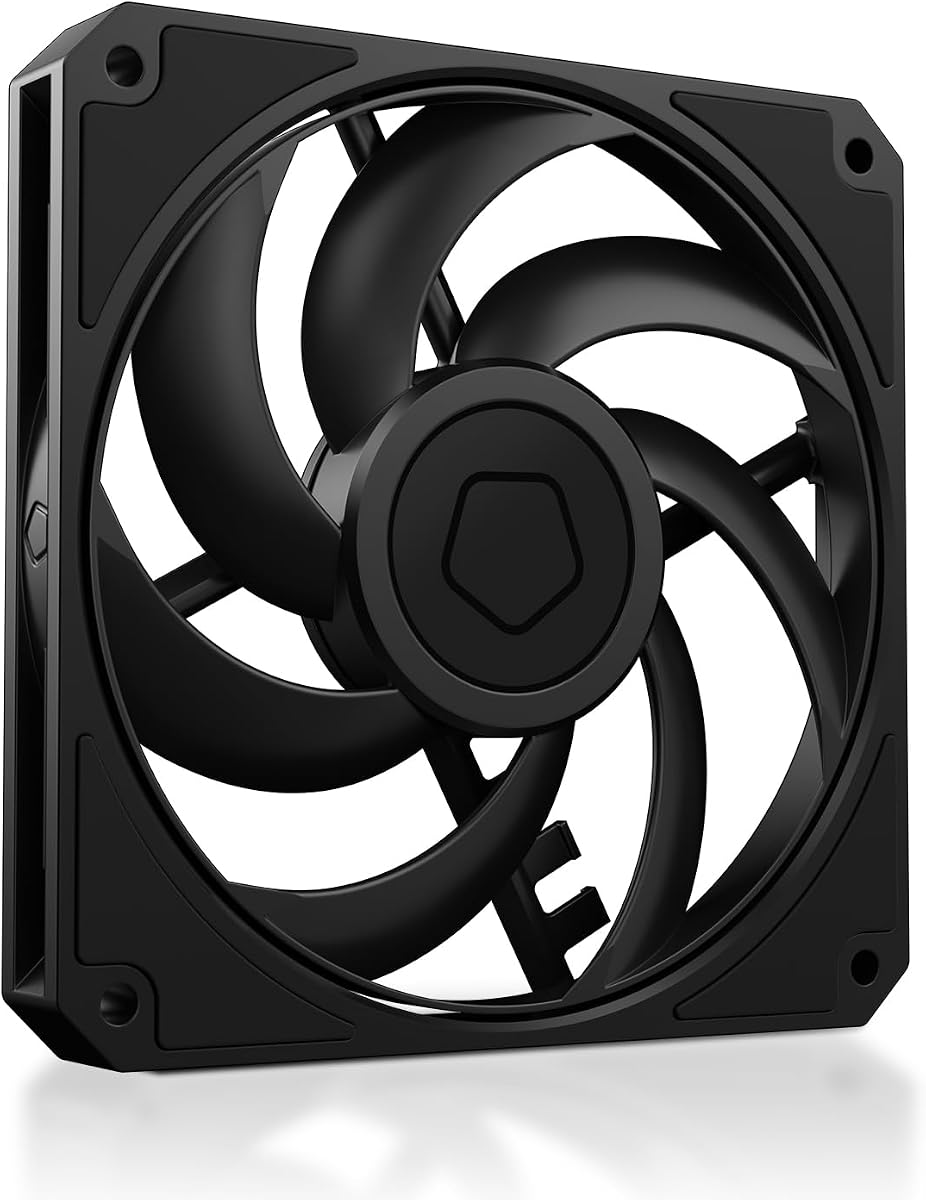
ID-COOLING AM-120-SLIM
4.8Editor score
Ultra slim fifteen millimeter design
High airflow and static pressure
Quiet reliable hydraulic bearing operation
Compare the top 10 low profile case fans for small builds. This guide reviews cooling performance noise and compatibility to help you choose the best slim fan.
Building a compact PC requires careful attention to airflow and space. Low profile case fans provide essential cooling without taking up valuable room inside small form factor enclosures. These specialized units ensure your hardware stays cool even when clearance is tight.
We evaluated ten leading models based on their airflow capabilities, noise levels, and overall build quality. Each product offers unique advantages for different build types ranging from ITX towers to media centers. Our analysis helps you find the right balance between performance and silence.
Every selection in this list highlights specific strengths such as static pressure or quiet operation. Keep in mind that product availability and specifications may vary over time. We recommend checking current listings for the most up to date information before purchasing.
4.8Editor score

4.9Editor score

4.8Editor score
This side by side comparison highlights the key specifications and features of every model selected for this guide. Use these details to match a fan to your specific cooling needs and case constraints.



The Noctua NF-A12x15 PWM stands out as the premier choice for builders seeking a balanced low profile case fan. With a near perfect rating from users, it delivers reliable cooling while maintaining whisper quiet operation. Its slim profile makes it perfect for tight spaces without sacrificing performance.
We may earn a commission when you buy through this link, at no additional cost to you.
This fan features award winning A-series design with Flow Acceleration Channels that boost airflow efficiency. The Advanced Acoustic Optimisation frame reduces noise harmonics for a smoother sound profile. Users praise its ability to move significant air through radiators or heat sinks while staying virtually silent.
One trade-off is the brown and grey color scheme which may not match all black cases. However, Noctua offers chromax black versions for those needing a darker aesthetic. The premium price is justified by the longevity and performance you get in return.
If you need a fan for a high end compact build where silence matters, this is the top pick. It works brilliantly with low profile CPU coolers or as a radiator fan in small form factor cases. You will appreciate the smooth bearing and consistent performance over years of use.
The fan uses advanced frame geometry to minimize turbulent noise at high RPMs.
With over 150000 hours MTTF this fan lasts significantly longer than average units.
We may earn a commission when you buy through this link, at no additional cost to you.
The ID-COOLING AM-120-SLIM offers incredible performance for its low cost making it a top budget choice. It delivers over 59 CFM of airflow and strong static pressure which is rare at this price. This makes it ideal for radiators or restricted spaces in SFF builds.
We may earn a commission when you buy through this link, at no additional cost to you.
Users report that it handles heat dissipation well even in tight Mini ITX cases. The hydraulic bearing ensures smooth operation and reduces friction for a longer lifespan. At lower RPMs it remains quiet enough for media centers or quiet workstations.
While the plastic frame is not as robust as high end models it still mounts securely. The PWM control works effectively to balance noise and cooling based on system temperature. It is a great option when you need multiple fans for a complete airflow solution.
This fan is perfect for budget conscious builders who need high stats without paying a premium. It fits well in cases where a standard 25mm fan simply will not clear. You get solid cooling and reliability without breaking the bank.
The blades are shaped to push maximum air through tight radiator fins.
Speed varies from 500 to 2500 RPM for flexible performance tuning.
We may earn a commission when you buy through this link, at no additional cost to you.
The Noctua NF-A12x15 PWM chromax.Black.swap brings the top tier performance of Noctua in a stylish black design. This model is perfect for builders who want silence and efficiency without the brown color. It retains all the advanced acoustics of the original series.
We may earn a commission when you buy through this link, at no additional cost to you.
It includes self adhesive colored anti vibration pads so you can match your case theme. The frame design reduces noise harmonics and the motor runs incredibly smooth even under load. Users love that it can stop completely when temperatures are low for silent idle.
The price is higher than generic options but the longevity and quiet operation justify the cost. It is particularly effective when mounted on low profile CPU coolers or thick radiators. The included accessories ensure a secure installation without rattling or vibration noise.
If you want a premium fan that looks great and performs flawlessly this is the one. It is a worthy upgrade for high end ITX builds where every decibel counts. You will enjoy the silence and cooling power for many years.
Colored pads allow you to match fan colors to your RGB lighting.
Fan stops at 0 percent PWM for completely silent operation at low loads.
We may earn a commission when you buy through this link, at no additional cost to you.
The Noctua NF-A12x15 FLX is designed for users who prefer manual speed control or lack PWM headers. It uses a 3 pin connector and includes adaptors to lower the speed without software. This makes it a great choice for older systems or simple builds.
We may earn a commission when you buy through this link, at no additional cost to you.
It features the same award winning A series design as the PWM version ensuring high airflow. The adaptors allow you to choose between maximum cooling or near silent operation permanently. Users value the simplicity and reliability of this non electronic control method.
While it lacks automatic temperature tracking the adaptors give you fixed options to suit your needs. The fan remains very quiet even at full speed due to its optimized frame and blades. It is a solid option for those who set and forget their fan speeds.
Choose this if you want a reliable fan that works with any power source. It is ideal for cases where BIOS fan control is limited or unavailable. You get the performance of a high end fan with a simpler installation process.
Use included adaptors to lower max speed for quieter operation.
3 pin Molex connector works with both motherboard and power supply.
We may earn a commission when you buy through this link, at no additional cost to you.
The ARCTIC P12 Slim PWM PST comes in a convenient three pack perfect for filling multiple slots. These fans are optimized for high static pressure making them excellent for radiators or tight spots. The PST daisy chain cable simplifies cabling in small form factor cases.
We may earn a commission when you buy through this link, at no additional cost to you.
Users appreciate that each fan measures only 15mm allowing fit in restricted areas. The PWM control ensures quiet operation when cooling demand is low. It is a practical choice for builders needing a full case cooling solution without high cost.
While not as quiet as premium models they offer a strong performance to price ratio. The airflow is sufficient for standard heatsinks and radiators in ITX enclosures. Installation is straightforward with the included mounting screws and PST chain option.
Select this pack if you need to replace multiple fans on a budget. It provides a complete cooling solution for intake and exhaust without cluttering your build. You get reliable performance and ease of setup for a fraction of other costs.
PST connector allows you to link multiple fans to one header.
Blade design pushes air through restrictive radiator fins efficiently.
We may earn a commission when you buy through this link, at no additional cost to you.
The ARCTIC P14 Slim PWM PST offers a larger 140mm size in a slim 16mm profile. This size moves more air than 120mm models which can improve cooling in taller SFF cases. The motor is designed for quiet operation and fits well in radiators.
We may earn a commission when you buy through this link, at no additional cost to you.
It maintains the benefits of the PST system for easy cable management. The airflow stats show it can handle significant thermal loads without excessive noise. Users find it useful when their case supports the wider dimension but needs low height clearance.
Installation may require a case that supports 140mm mounting spots. If your chassis allows it the airflow gain over 120mm fans is noticeable. It provides a great balance of size and slim design for cooling restricted setups.
This fan is a smart pick for larger small form factor builds that need extra air. It works well as an exhaust or intake where space is vertical limited. You get more cooling capacity without the bulk of a standard thick fan.
The larger diameter moves more air per rotation than 120mm fans.
Only 16mm thick so it fits on most slim radiators easily.
We may earn a commission when you buy through this link, at no additional cost to you.
The be quiet! Pure Wings 3 focuses on delivering maximum silence while maintaining good airflow. It features seven optimized blades that reduce turbulence and noise at high speeds. The rifle bearing ensures a long operational life with minimal maintenance needed.
We may earn a commission when you buy through this link, at no additional cost to you.
Users report that it runs very quietly even under load due to its motor design. It is a solid choice for media PCs where noise is more critical than extreme cooling. The fan can operate at very low RPMs for near silent idle periods.
While it is not always a slim 15mm model it still offers reliable performance. The build quality aligns with the brand reputation for German engineering. It fits most cases where a 120mm mount is available without height restrictions.
Choose this fan if your priority is a quiet system for home theater or work. It works well in cases with enough space for a standard thickness fan. You will appreciate the consistent quiet operation over the lifetime of your build.
Seven blades cut air more smoothly to reduce whistling sounds.
Rifle bearing design supports thousands of hours of use.
We may earn a commission when you buy through this link, at no additional cost to you.
The Thermalright TL-C12015 is a balanced slim fan perfect for small form factor cases. It offers 52 CFM of airflow in a 15mm package making it ideal for CPU coolers. The S-FDB bearing ensures smooth operation and low friction for years of use.
We may earn a commission when you buy through this link, at no additional cost to you.
Users value the included vibration absorbing pads which reduce rattling during rotation. It reaches a maximum speed of 1500 RPM which keeps noise levels moderate. It fits well in low profile CPU coolers to help dissipate heat effectively.
This fan provides a good mix of performance and price without premium branding. It is reliable for daily use in compact builds where airflow is restricted. The PWM control works with standard headers to adjust speed based on needs.
Select this if you need a reliable 120mm slim fan for your SFF build. It offers solid cooling without excessive noise and fits tight spaces well. You get a practical solution for airflow that works with most ITX chassis.
Four corner pads absorb vibrations to reduce case rattling.
S-FDB bearing ensures long life and smooth spinning.
We may earn a commission when you buy through this link, at no additional cost to you.
The Noctua NF-A9x14 HS-PWM is designed specifically for 92mm low profile coolers. It delivers high performance in a slim 14mm frame suitable for HTPC or ITX cases. The HS-PWM version includes high speed control for maximum cooling when needed.
We may earn a commission when you buy through this link, at no additional cost to you.
Users praise its ability to keep CPUs cool in tight spaces without bulk. The AAO frame system improves airflow and reduces noise at high RPM. The chromax black swap allows for color customization matching your build theme.
While it runs at higher RPMs to move air the noise remains acceptable for most. It is a great choice when you need to use a small CPU cooler and still want quiet fans. The pads help secure it tightly to prevent vibration.
Choose this if your case supports 92mm fans and you need high efficiency. It works perfectly with Noctua NH-L9 series coolers and other low profile units. You get the reliability of Noctua in a smaller footprint for cooling.
2500 RPM max provides strong airflow in restricted 92mm sizes.
14mm thickness fits low profile coolers and tight radiators.
We may earn a commission when you buy through this link, at no additional cost to you.
The Noctua NF-A12x15 PWM is a classic choice for builders wanting proven reliability. It offers top tier performance and quietness with the same A-series technology as other models. The slim profile fits where standard fans cannot and keeps systems cool.
We may earn a commission when you buy through this link, at no additional cost to you.
It includes a y-cable allowing you to run two fans on one PWM header. This is useful for dual fan radiator setups or cases with limited headers. Users trust the brand for longevity and consistent performance over many years.
The only downside is the standard brown color which may not suit all designs. For those needing black this chromax version is a better fit. The airflow and pressure are excellent for both case cooling and heatsink support.
Select this fan if you want the gold standard for slim PC cooling. It delivers quiet performance and reliability for even the best compact builds. You will appreciate the smooth bearing and efficient airflow through tight spaces.
Included y-cable lets you link two fans to one motherboard header.
Noctua fans are known for lasting well beyond average warranties.
We may earn a commission when you buy through this link, at no additional cost to you.
Selecting the right low profile case fan involves balancing dimensions performance and noise. This guide covers key factors to consider before making your choice.
Low profile fans typically measure 15mm to 16mm in thickness. Ensure your case and cooler support these dimensions before buying. Standard fans are 25mm which may not fit in tight enclosures.
Measure your available space carefully to avoid installation issues. A fan that is too thick may not mount or may touch cables.
Airflow moves air across components while static pressure pushes it through resistance. High static pressure is better for radiators and heatsinks. High airflow is better for open case ventilation.
Check the CFM and mmH2O ratings on the product details. Choose based on whether you need intake exhaust or radiator cooling.
Noise levels are measured in dB or Sone. Lower numbers mean quieter operation. For media builds look for fans that run under 25 dB at idle.
PWM fans help control noise by slowing down when not needed. Check user reviews for real world sound feedback.
Most modern fans use 4-pin PWM connectors for speed control. Some older models use 3-pin Molex which lacks automatic speed adjustment. Ensure your motherboard has the right headers.
PWM fans are preferred for energy efficiency and noise control. Use adaptors only if necessary for older systems.
Bearing type affects lifespan and noise. Fluid dynamic or rifle bearings tend to be quieter and last longer. Sleeve bearings are cheaper but may wear out faster.
Look for MTTF ratings to estimate fan life. High quality bearings reduce wobble and vibration over time.
Frames made from durable plastic reduce vibration and noise. Metal parts add weight but may not fit all mounts. Check mounting hole spacing to ensure compatibility.
Good build quality ensures the fan stays secure. Avoid cheap plastic that cracks during screw tightening.
Fans come in standard colors like brown black or white. Some brands offer customizable pads to match your build. Consider the visual impact on your case interior.
If you want a clean look match the fan color to your cables. Chromax black options are popular for modern PCs.
Buying in packs often saves money if you need multiple fans. A three pack can cover intake and exhaust slots easily. Compare the price per fan against single models.
Packs from brands like Arctic offer good value for standard cooling. Premium brands sell singles but often include more accessories.
Install the fan so it blows air into or out of the case depending on your airflow plan. Align the blades with the case openings to maximize efficiency. Secure it with screws or clips to prevent rattling.
Connect the fan to the PWM header on your motherboard. Ensure the cable is tucked away from other moving parts. Use daisy chain cables if multiple fans are linked to one header.
Dust buildup can reduce cooling and increase noise. Clean the fan regularly using compressed air. Check bearings for any unusual sounds that indicate wear.
A low profile case fan is a cooling unit with a thinner frame than standard fans. They are designed for small form factor builds where space is limited. These fans provide essential airflow without taking up too much room inside the case.
Not necessarily. Noise depends on the bearing motor and blade design. High quality slim fans can be very quiet. Many models use PWM to slow down at low loads for silent operation.
Yes most 15mm fans are designed for radiator use. They offer high static pressure to push air through fins. Ensure the radiator has clearance for the fan thickness.
Check your case manual or dimensions for available fan mounts. Measure the space between components to ensure a 15mm fit. Look for clearance notes in the manufacturer specs.
4-pin fans support PWM speed control while 3-pin fans do not. 4-pin fans allow software control for noise and cooling balance. 3-pin fans run at full speed unless voltage is adjusted.
Slim fans require precise engineering to fit in tight spaces. The motors and bearings must be compact yet powerful. This design complexity adds to the manufacturing cost.
Yes rubber mounts help reduce vibration noise. Most premium fans include anti vibration pads. These mounts protect the case and make the fan quieter.
Yes if you use a daisy chain or splitter cable. PWM headers can handle multiple fans via PST. This keeps cable clutter low in small builds.
We reviewed ten top rated low profile case fans from leading brands. Each offers unique strengths for different needs and budgets. Whether you need silence performance or value there is a pick for you.
Prioritize thickness and airflow when making your choice. Ensure the fan matches your case clearance and cooling demands. A balanced selection ensures your PC runs cool and quiet.
Always check current listings for availability and details. Prices and stock change often so verify before buying. We hope this guide helps you build a reliable and efficient system.